You get an account, not a monthly email. Open it any day and see what Myntra has paid, what it has charged you wrongly, and what it still owes — while we run the imports and the claims alongside you.
Your own ReconKart account, plus us running it with you. One account can hold multiple brands — all reconciled together.
Every plan gets the full set below — the only thing that changes is your monthly order flow.
A login of your own, open any day of the month — not a report that lands once and is already old. Installs on your phone or desktop like an app.
Every order matched to the rupee — what Myntra should have charged from your rate card beside what it actually charged. Commission, fixed fee, reverse, royalty, GT, GST. Export any view to Excel.
Profit for any date range you pick, not just last month. Sales, every charge head, settlement, cost and your own expenses — with brand, SKU and status breakdowns underneath.
Every wrong deduction in its own list by reason, ready to file. Then the part a sheet cannot do: mark it raised, keep the ticket number, and watch it move to recovered when the SPF/NOD payout actually lands.
Delivered and unpaid, split by whether it is still inside the payment cycle or genuinely overdue. Held out of your profit until the money arrives, so a good month never flatters you.
Returns the marketplace has not charged you for yet, priced off your own rate card. Money that is going to leave — counted before it does, not after it surprises you.
Scan each parcel out and back, or import your OMS return report. When Myntra's file says a parcel was handed over and your scan never saw it, that is a claim from that moment — and its window is seven days, counted down for you.
Counts every Myntra charge to set the right listing price, and shows its working line by line — which commission, which fee, how the return reserve was reached. When rates shift every 15–30 days, the new price is ready in seconds.
Three files taken straight out of the app — open them and look at the columns. Every one of them is a live screen inside your account; these are simply what it hands you when you press export.
One month on a page: orders split by status, every charge head with its rupees, and the walk from Net Sales down to what actually reached the bank — then top SKUs, top states, article-wise returns and brand-wise profit. Your account prints this for any month.
For every order line: what Myntra should have charged from your rate card, sitting right next to what they actually charged — commission, fixed fee, reverse, royalty, GST. Plus SKU-wise and loss-making SKU views.
Every flagged order split by reason, formatted to raise straight with Myntra — only the columns their team needs to verify and settle. In your account each of these is its own list, and once you raise one it keeps the ticket and tells you when the money comes back.
A demo account with fictional company, brands, SKUs and order IDs — the layout and every figure behave exactly as they will on yours.
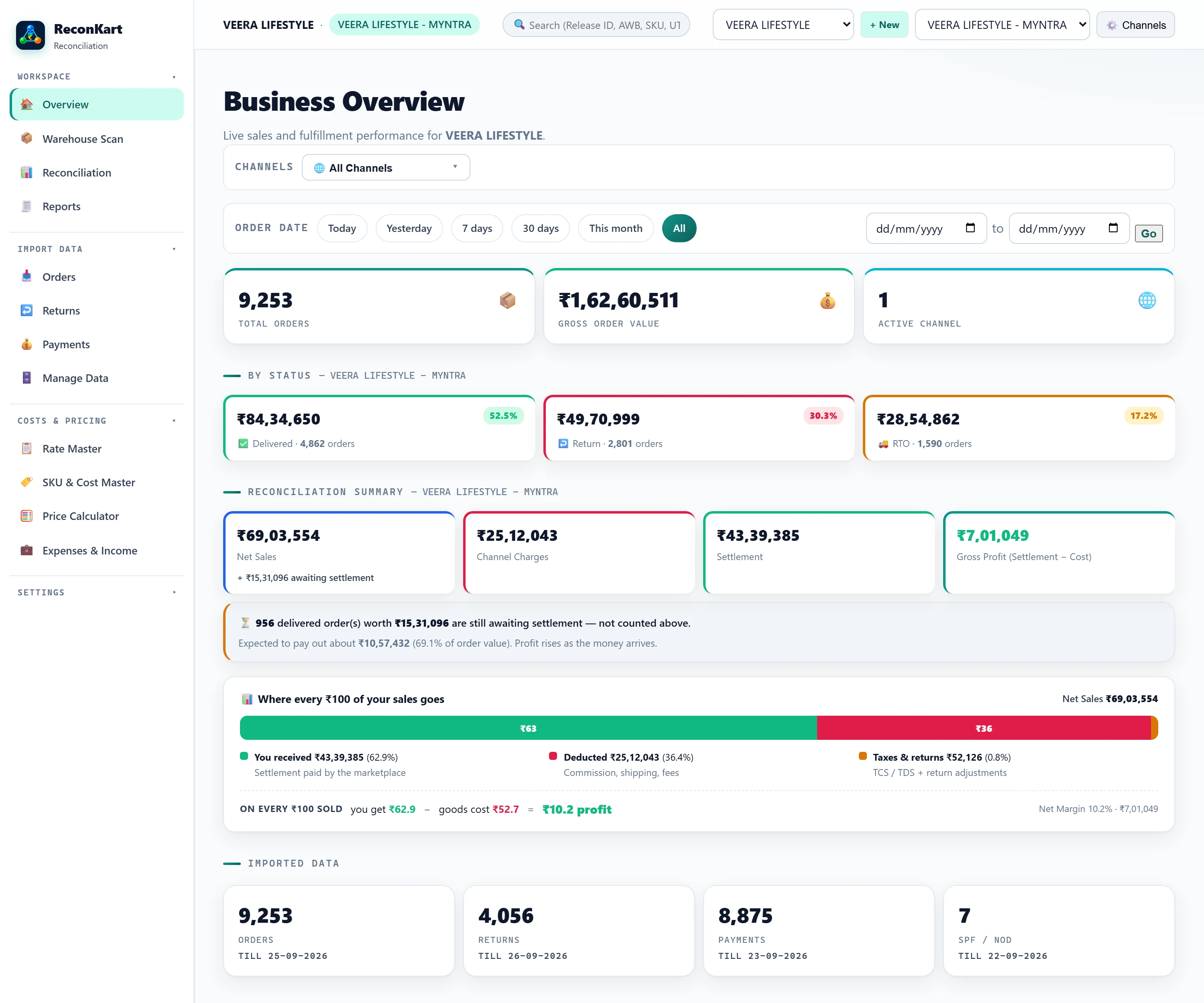
Sales, every Myntra charge, settlement, your cost and the profit left over — for any date range. The line underneath says how much is still on its way, so a good month never flatters you.
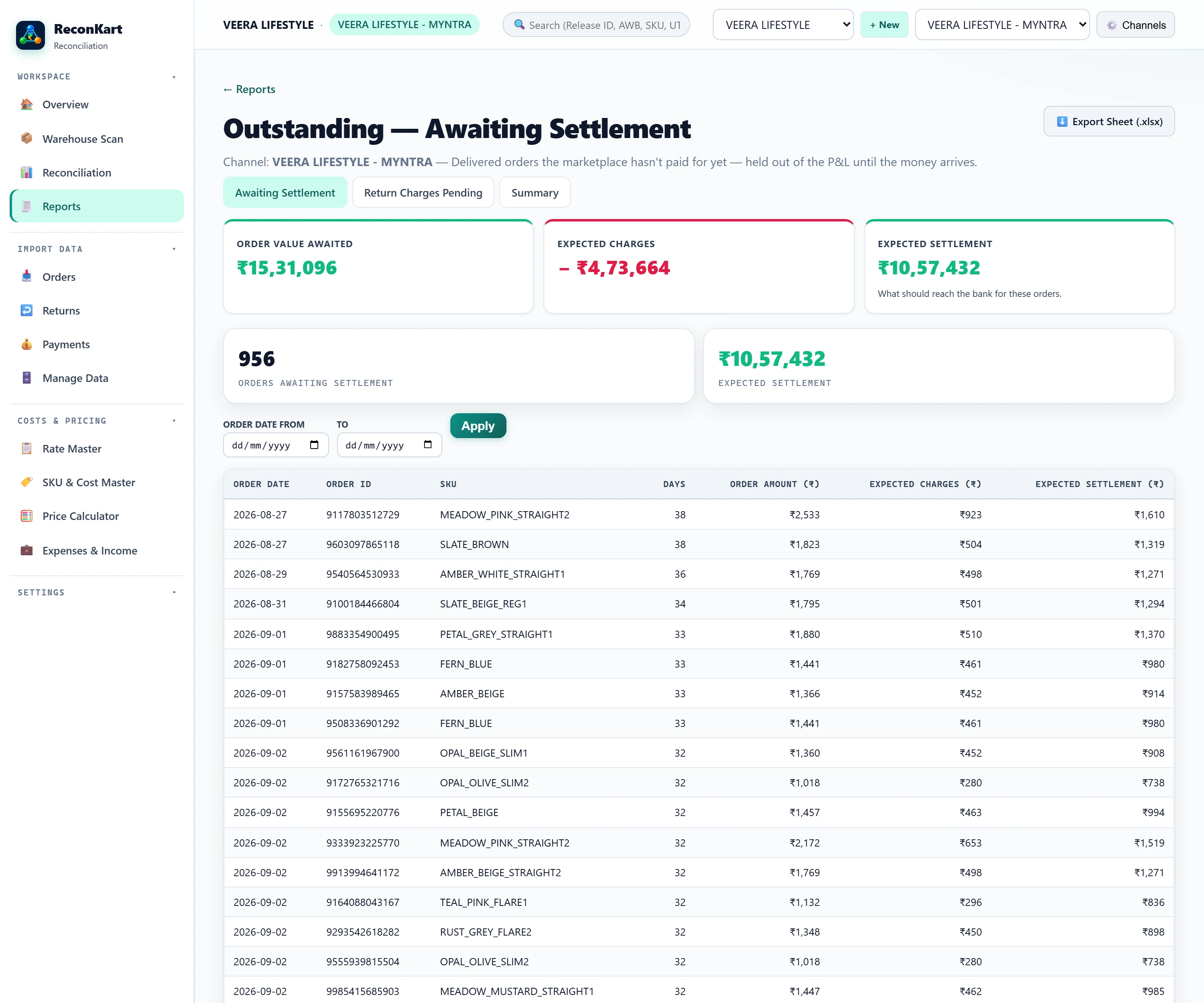
Delivered, unpaid, and how far past the cycle each one is. On this demo account that is 956 orders and ₹10.5 lakh still to arrive — money most sellers never see listed anywhere.
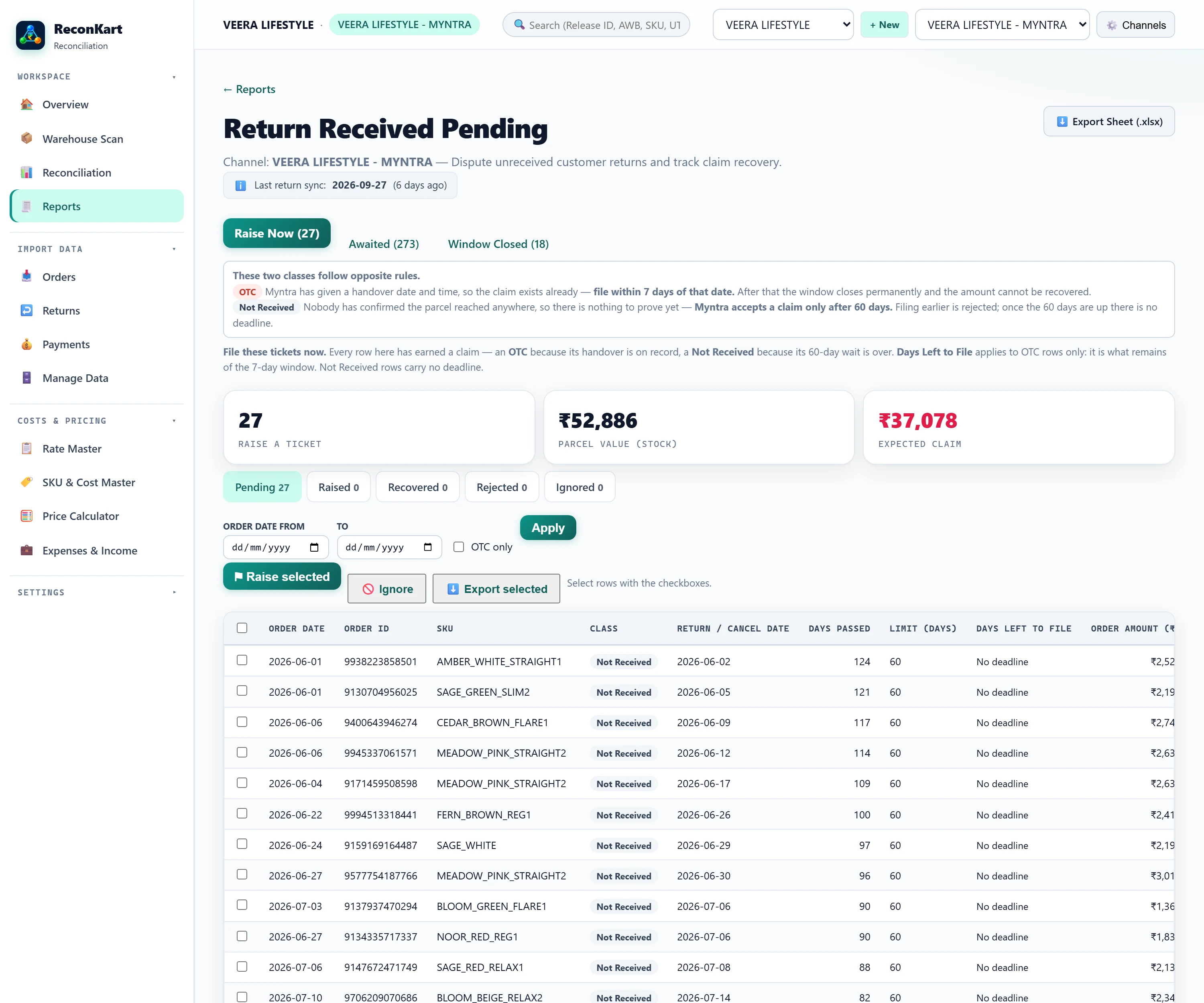
Two opposite rules run here, and the screen keeps them apart. A parcel Myntra has a handover time for, but your scan never saw, must be claimed within 7 days. One nobody has confirmed anywhere is only claimable after 60. Every row says which clock it is on, so nothing is filed too early or left too late.